Quick fix for Android & Fire TV: Use Downloader and enter https://dns.applinks.dev in the URL bar. Download and install the app, allow the VPN connection, enable the service, then try launching your IPTV app again. If the issue persists, find your provider below.
Select Your Provider
Spectrum
Disable Security Shield
Security Shield is enabled by default on Spectrum's Advanced Home WiFi service. Disable it using the My Spectrum App:
- Open the My Spectrum App.
- Go to the Services & Equipment tab.
- Select Security Shield.
- Toggle the Security Shield switch Off.
- Confirm your decision.
Verizon
Disable Fios Security Enhancement
Verizon Fios Security Enhancement needs to be disabled via your My Verizon account:
- Log in to your My Verizon account online.
- Navigate to your internet service settings.
- Locate Home Network Protection (or similar).
- Toggle the switch to Off.
Xfinity
Disable xFi Advanced Security
Disable xFi Advanced Security through the Xfinity app or website:
- Log in to your Xfinity account via the app or website.
- Navigate to the Security tab.
- Select Advanced Security.
- Choose Turn Off.
AT&T
Cancel ActiveArmor
For AT&T customers, ActiveArmor needs to be cancelled using the AT&T Smart Home Manager app:
- Open the AT&T Smart Home Manager app.
- Tap Settings.
- Tap Your Internet Service — do not select AT&T ActiveArmor from this screen.
- Tap AT&T ActiveArmor.
- Tap Cancel Service.
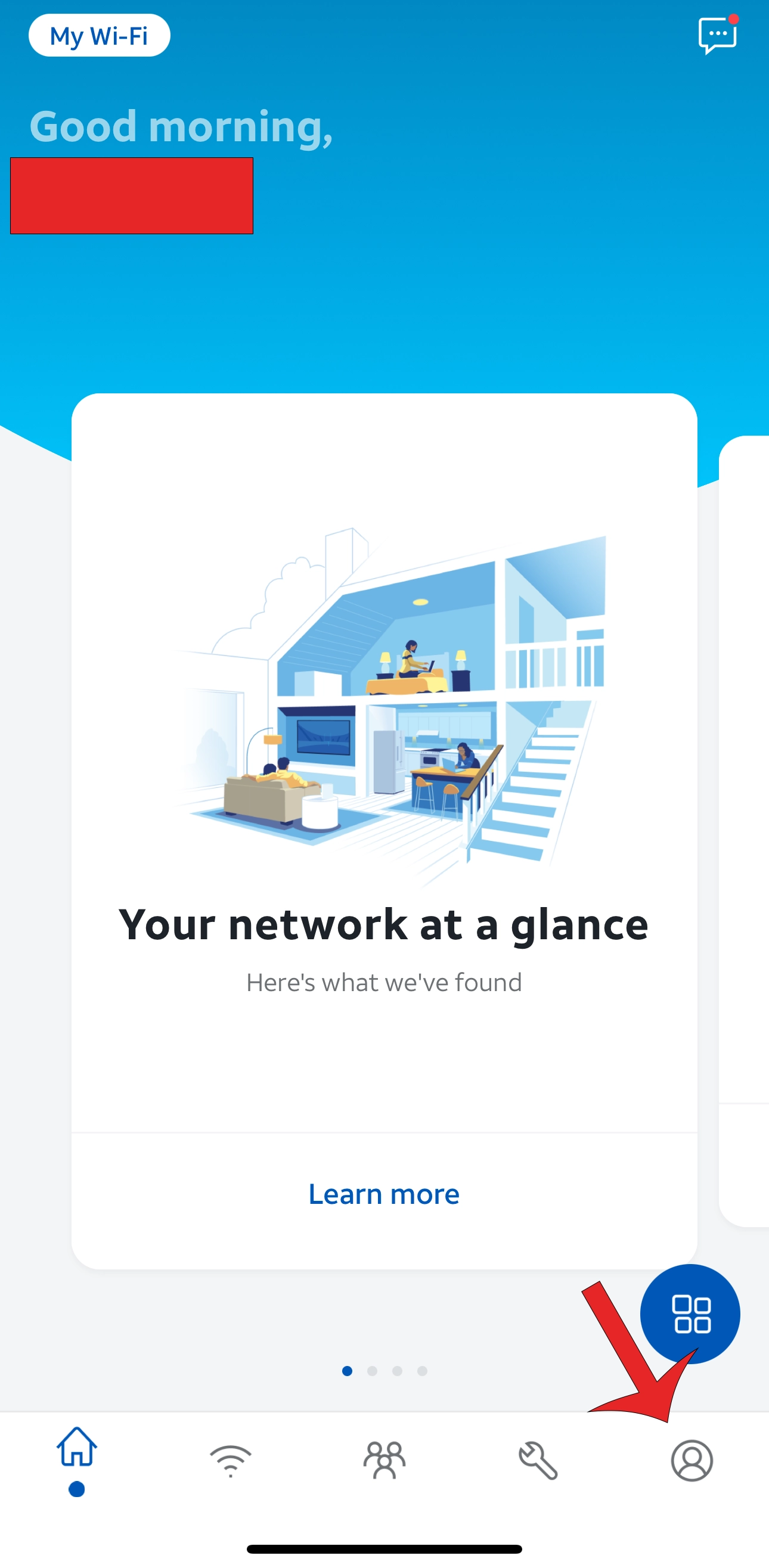
Step 1
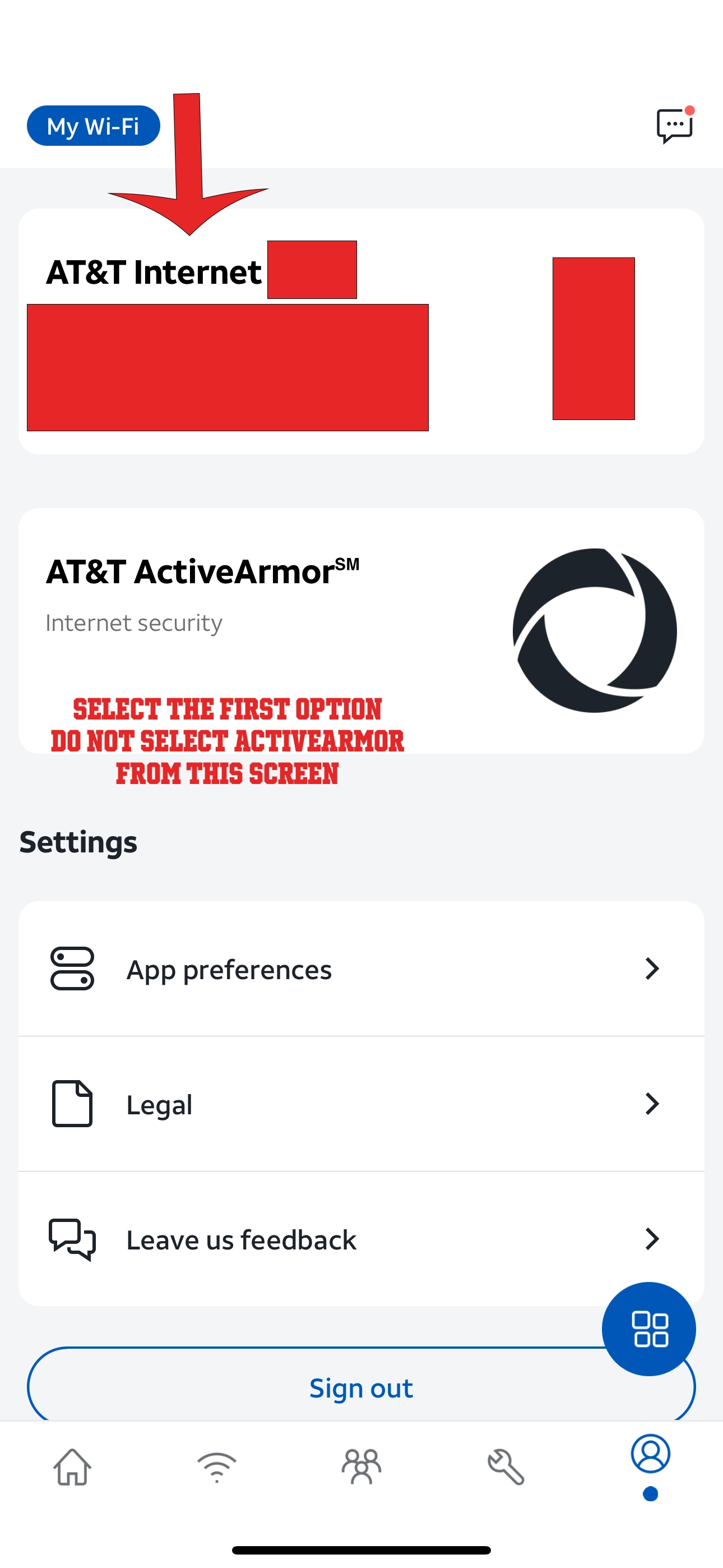
Step 2
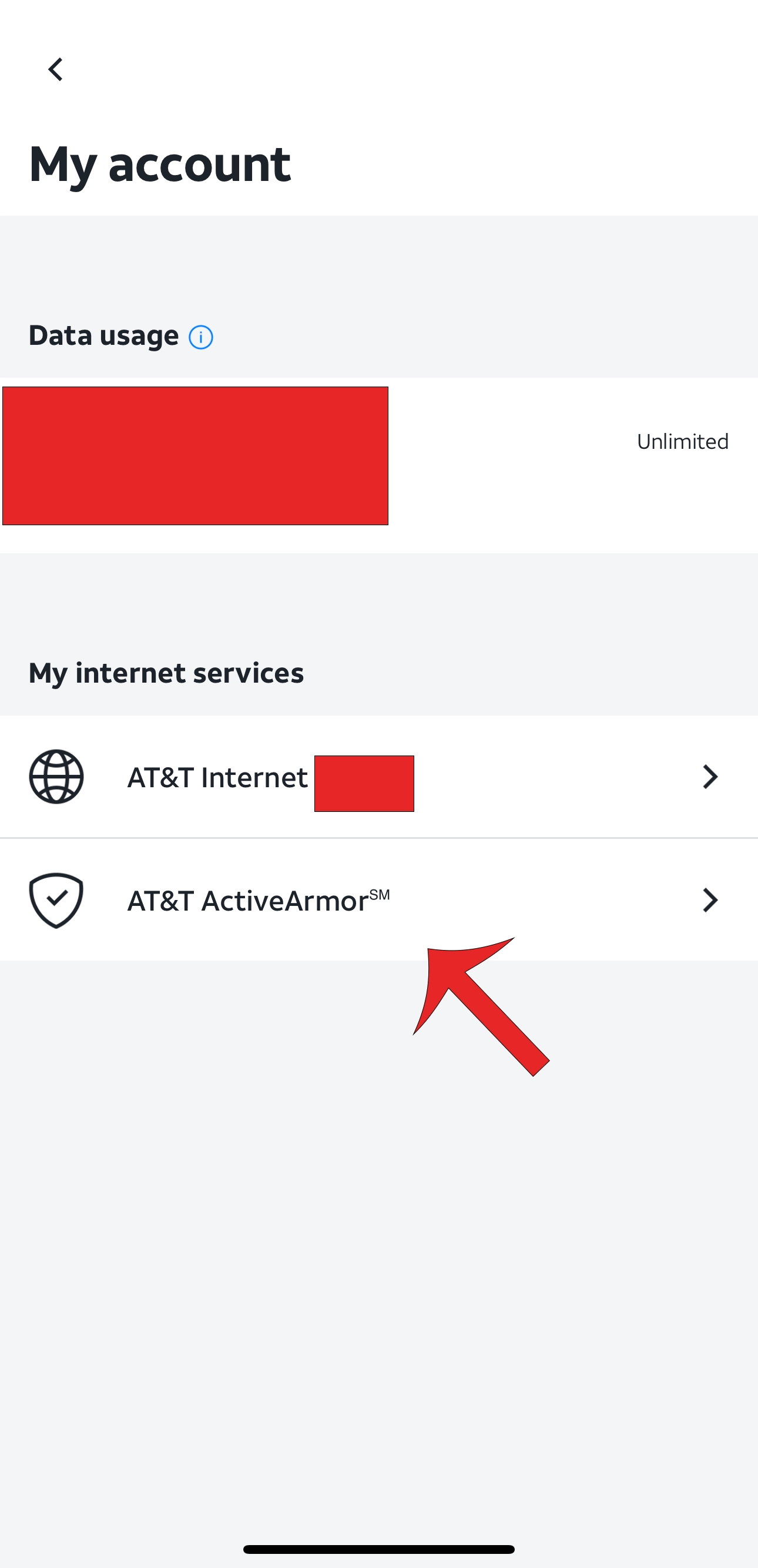
Step 3
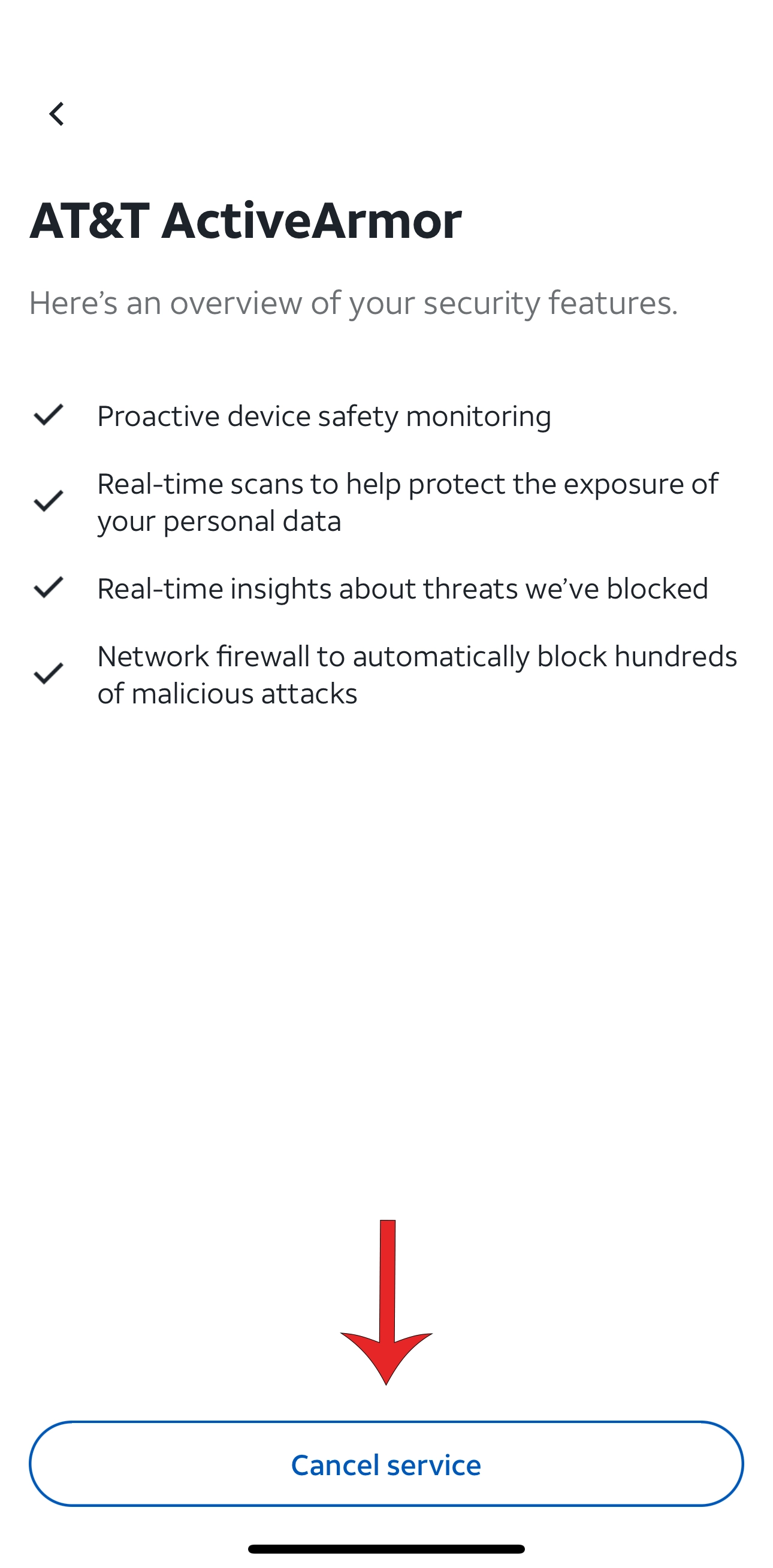
Step 4
That's it. Try logging in again to access the service.